AUDIO ATMOSPHERICS

DJ + STUDIO ESSENTIALS

THE WORKING SET / VOL. 01

Know what fits.
Before you buy.

Headphones, studio essentials, and the cables between them. Practical buying notes for your next setup.

Ten products. No account needed.

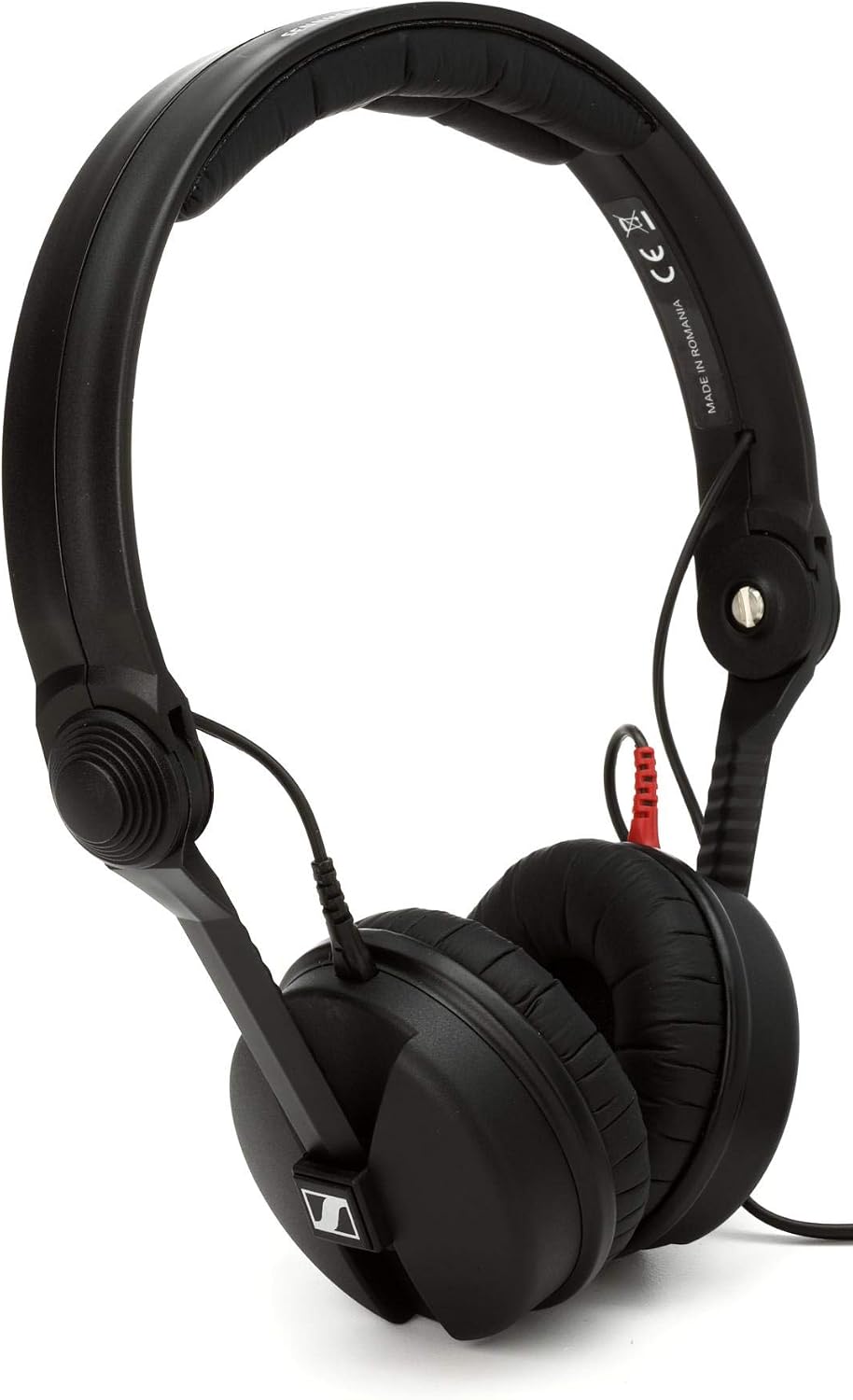
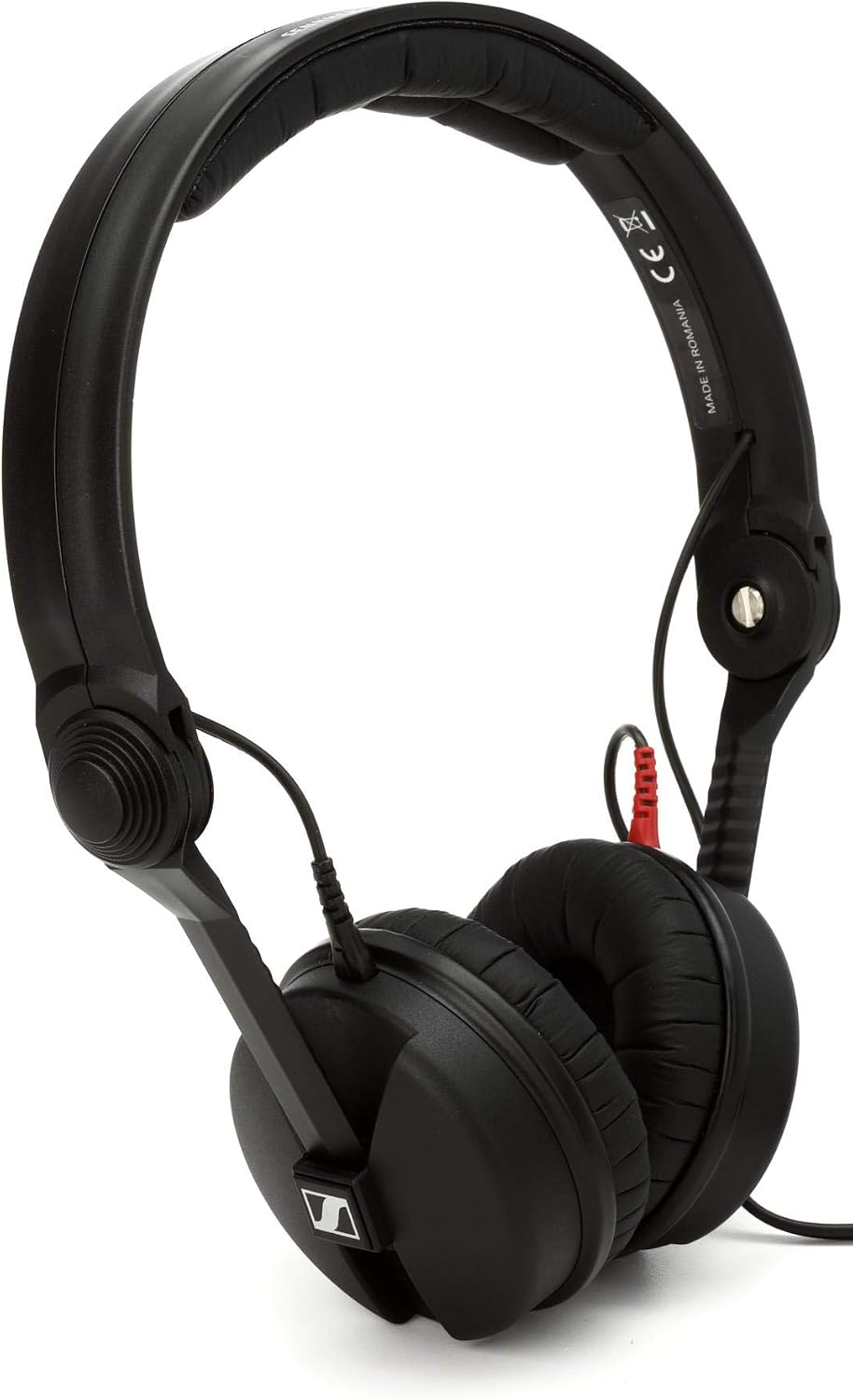
Black Sennheiser HD 25 on-ear DJ headphones, with padded ear cups and a red cable connector.
IN THE GUIDE / 01SENNHEISER HD 25On-ear DJ headphones.

As an Amazon Associate I earn from qualifying purchases. Independent buying guide. These are product research notes, not hands-on test results.

01 / CHOOSE HEADPHONES

DJ booth or
recording desk?

Choose around fit, cable handling, and the way you work. The HD 25 sits on your ears; the MDR-7506 surrounds them. Comfort is worth checking before a long session.

HD 25 or MDR-7506 for DJing? Already own HD 25s? Go to repairs ↓
Black Sennheiser HD 25 on-ear headphones.
01

Standard model · On-ear headphones

Sennheiser HD 25

Use it for
One-ear DJ cueing.
Why consider it
A rotating capsule and short, detachable cable suit a compact DJ setup.
The tradeoff
On-ear pads press directly on your ears. Try the fit before a long session.
Check before buying
Select the standard HD 25. Check your headphone output and adapter; Light, Plus and bundles are different options.

Manufacturer reference
Listing notes: September 7, 2026. Confirm the current seller and package.
View on Amazon (paid link)

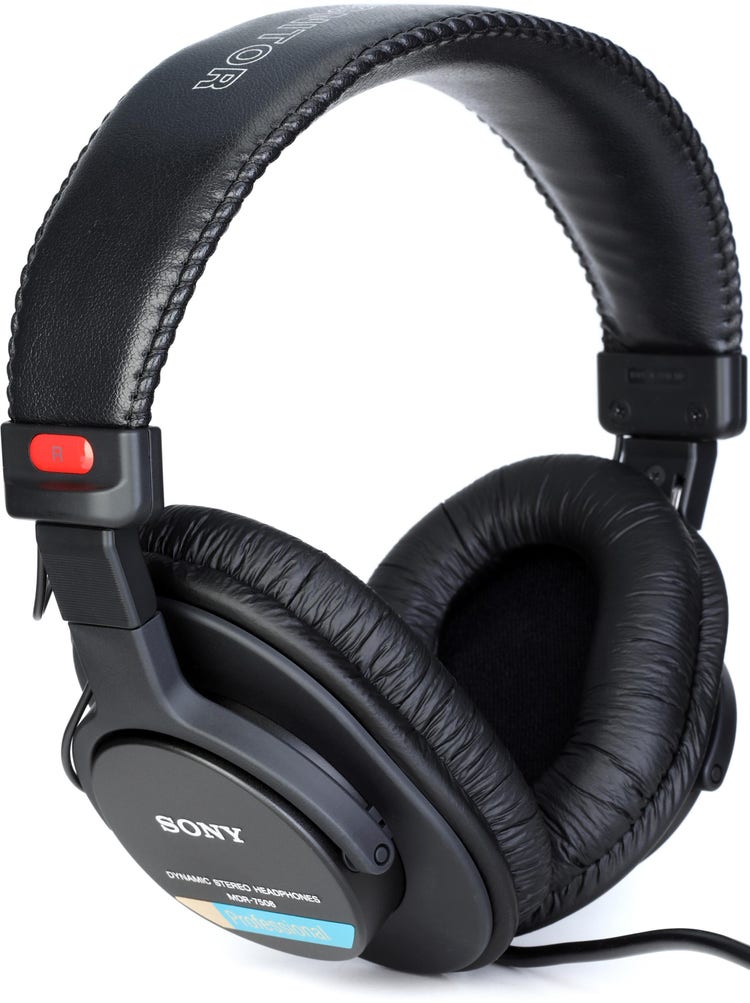
Black Sony MDR-7506 over-ear monitoring headphones.
04

Closed-back monitoring headphones

Sony MDR-7506

Use it for
Over-ear recording and editing.
Why consider it
Folding headphones with a coiled lead for a seated setup.
The tradeoff
The approximately 3 m cable length is fully extended. Leave slack so it does not pull.
Check before buying
Select MDR-7506. Check condition, package contents and your headphone output or adapter.

Manufacturer reference
Listing notes: September 7, 2026. Confirm the current seller and package.
View on Amazon (paid link)

Before you choose Check the fit, cable route and exact package.

Read the seven-check buying checklist →

ALREADY OWN A PAIR?

Repair your HD 25.

A worn cushion, damaged lead and faulty driver call for different fixes. Test with another source at a low listening level, then inspect the connections.

If your current headphones are comfortable and working, a new pair may not be the first upgrade you need.

Need a headphone adapter? Check the fit ↓
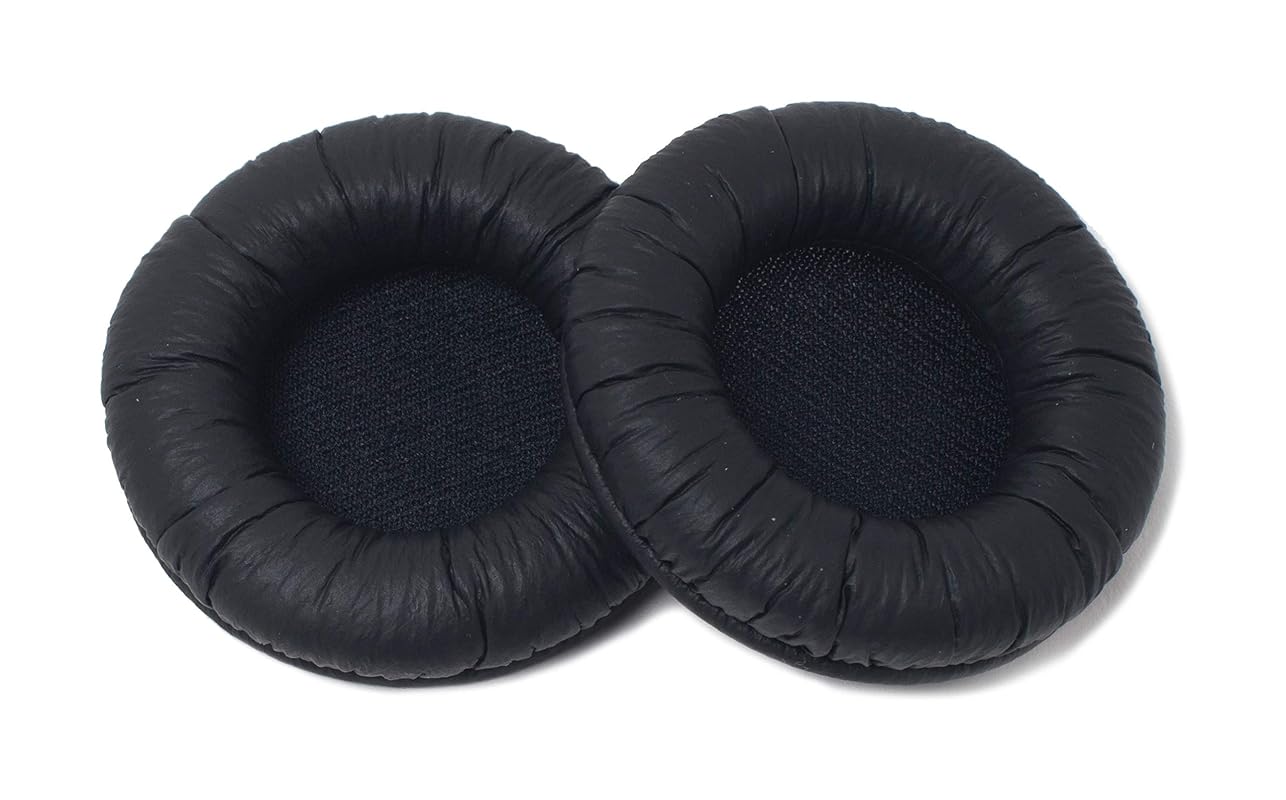
Pair of black Sennheiser HD 25 replacement ear pads.
02

Sennheiser · Pair

HD 25 replacement ear pads

Use it for
Replace worn HD 25 cushions.
Why consider it
Keep the headphones you know when the drivers and headband still work.
The tradeoff
New pads will not repair a faulty driver or socket.
Check before buying
Check your exact HD 25 model, pad compatibility and seller. Similar-looking aftermarket pads are separate products.

Manufacturer reference
Listing notes: September 7, 2026. Confirm the current seller and package.
View on Amazon (paid link)

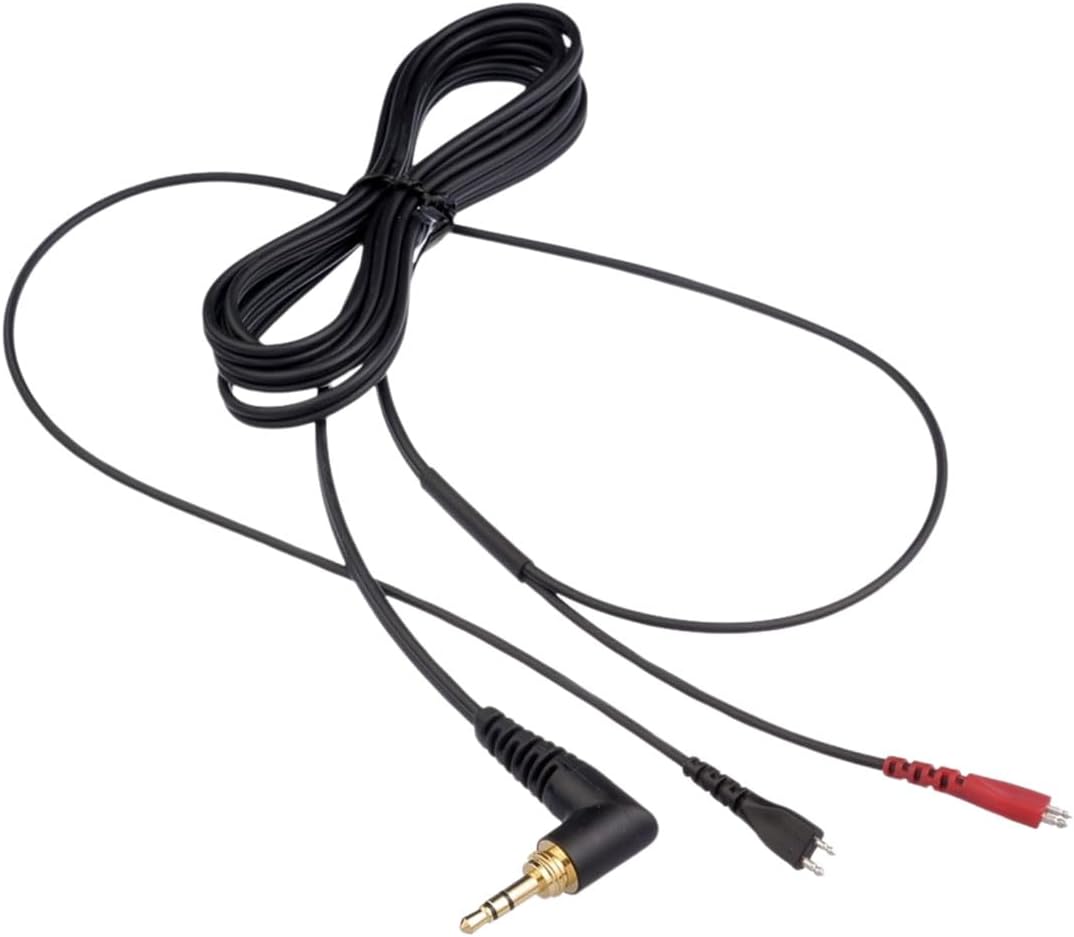
Sennheiser 523874 replacement cable with angled plug and red and black headphone connectors.
03

Sennheiser · Part 523874

HD 25 replacement cable

Use it for
Replace a faulty HD 25 lead.
Why consider it
Consider a new cable when an intermittent connection follows movement of the existing lead.
The tradeoff
A faulty source or socket can resemble a cable problem. Test another source first.
Check before buying
Part 523874: the listing says 1.5 m in its bullets and 2 m in its description. Confirm supplied length and headphone compatibility with the seller.

Manufacturer reference
Listing notes: September 7, 2026. Confirm the current seller and package.
View on Amazon (paid link)

02 / START RECORDING

Build around
your inputs.

Count what you want to record simultaneously. One microphone and one instrument are a different job from two microphones or a stereo hardware setup.

Start with the interface’s input list, then check its outputs against your speakers or headphones.

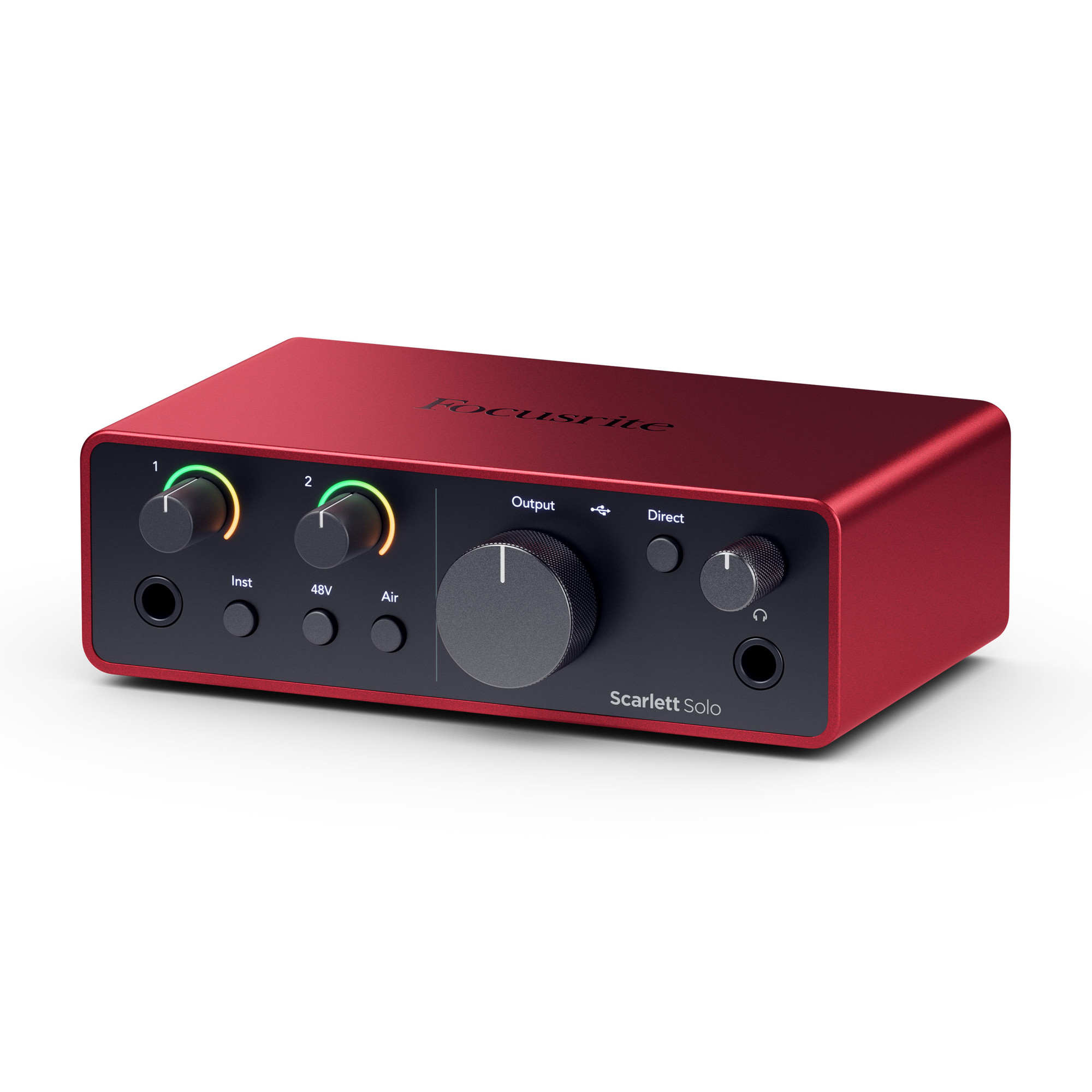
Red Focusrite Scarlett Solo 4th Generation audio interface, showing its front controls.
05

Focusrite · 4th Generation

Scarlett Solo

Use it for
Record a microphone and an instrument.
Why consider it
One microphone preamp and one instrument input in a compact interface.
The tradeoff
There is only one microphone preamp; this is not a two-microphone setup.
Check before buying
Select Solo, 4th Generation. Check your computer, recording software and USB cable; the Studio bundle is different.

Manufacturer reference
Listing notes: September 7, 2026. Confirm the current seller and package.
View on Amazon (paid link)

03 / FIND A CABLE

Read the socket.
Trace the signal.

Write down the source output and destination input before ordering. Check whether the signal is audio or MIDI, stereo or mono, and whether you need a plug or socket at each end.

Connector shape alone does not establish compatibility. A quarter-inch TRS socket may carry stereo headphones or balanced mono audio. Check both equipment manuals.

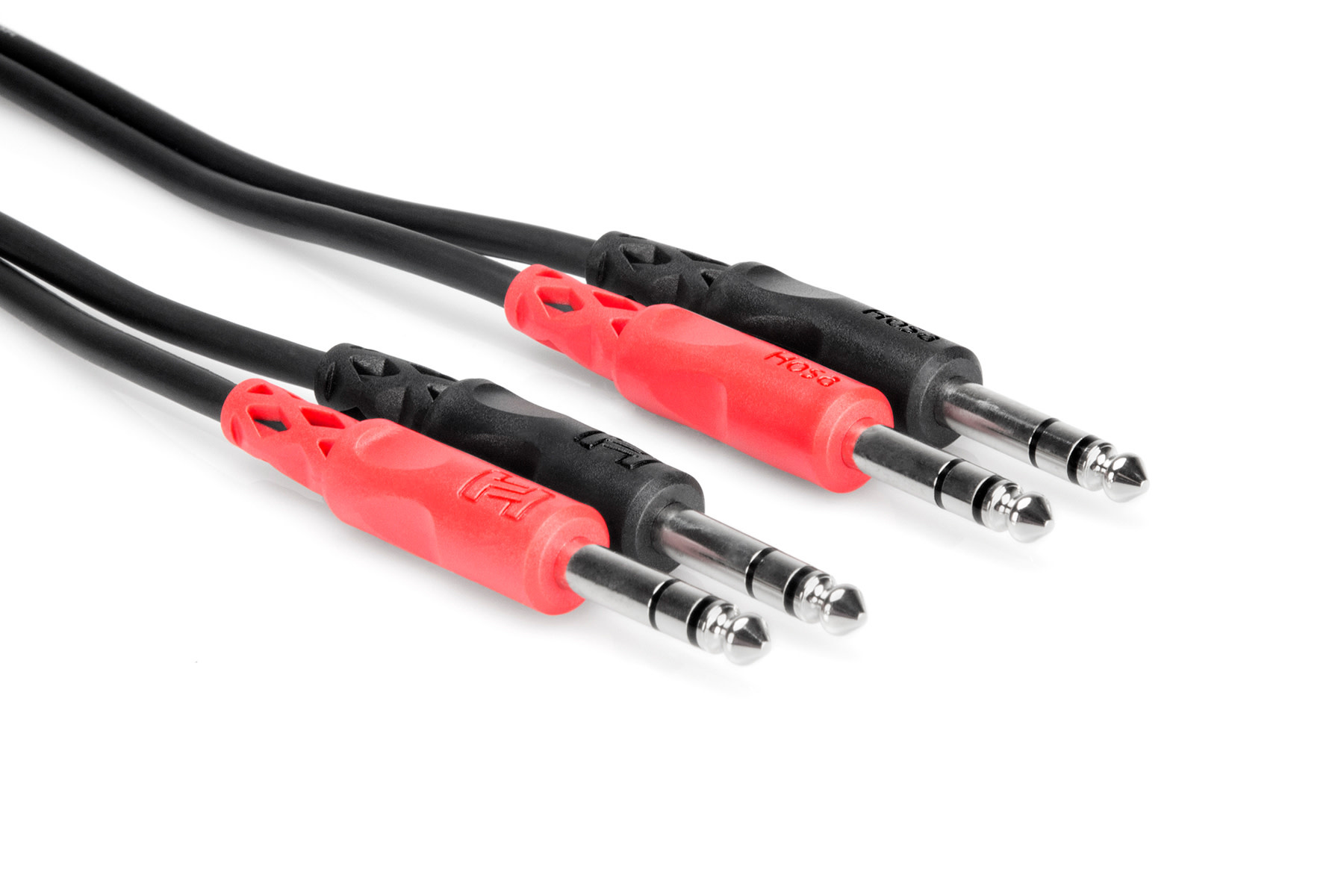
Hosa CSS-202 paired cable with four quarter-inch TRS plugs.
06

Dual ¼-inch TRS → dual TRS · 2 m

Hosa CSS-202

Audio, separate left/right balanced mono channels

Interface outputs 1 and 2 with compatible quarter-inch TRS socketsLeft and right powered-monitor inputs supporting balanced quarter-inch TRS audio

Use it for
Connect left and right audio channels.
Why consider it
A paired TRS cable for equipment with compatible balanced quarter-inch sockets.
The tradeoff
The joined cable must reach both destinations. Plug shape alone does not establish compatibility.
Check before buying
Select CSS-202, 2 m. Confirm balanced TRS audio in both manuals; CPP-202 uses TS plugs.

Manufacturer reference
Listing notes: September 7, 2026. Confirm the current seller and package.
View on Amazon (paid link)

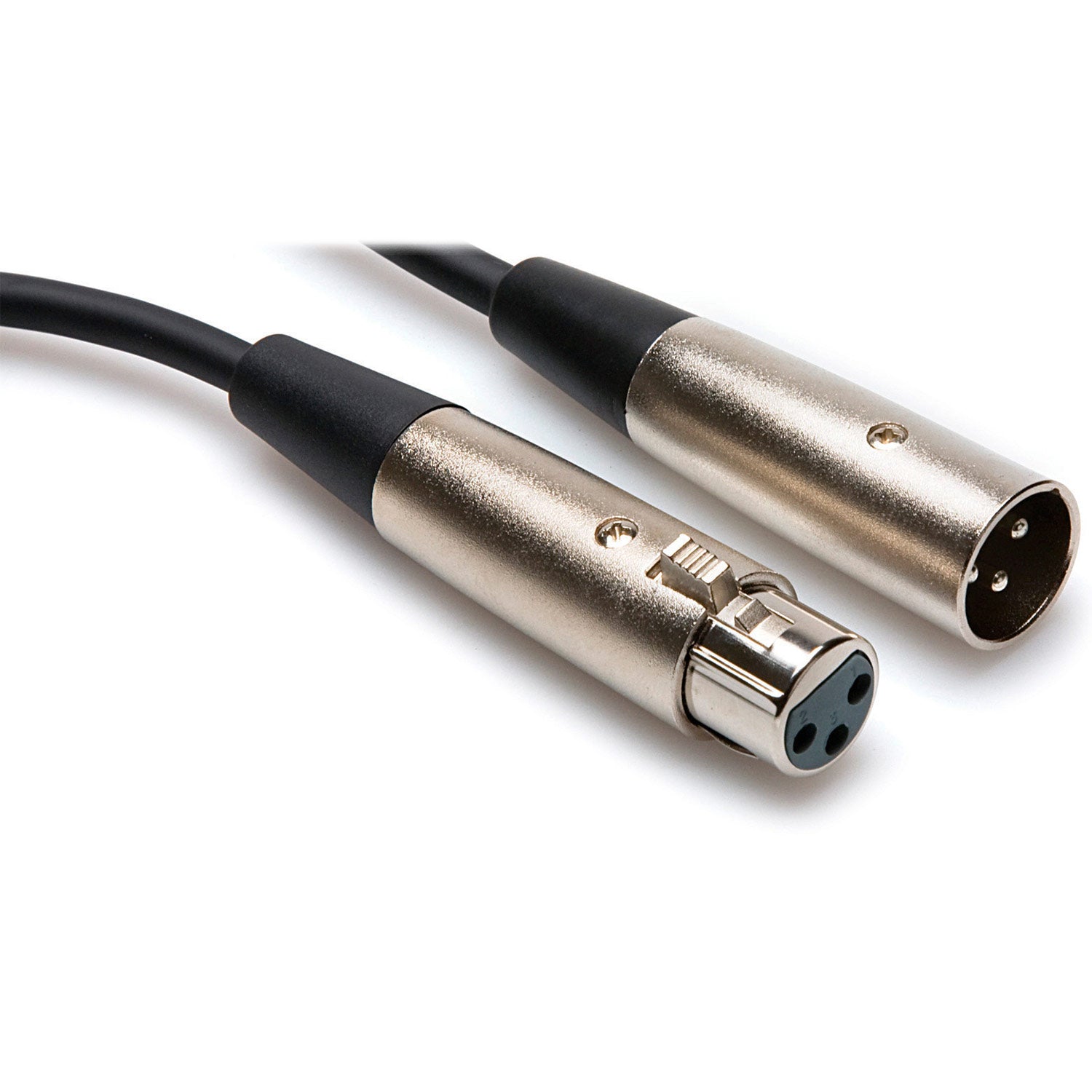
Hosa XLR-110 cable with male and female three-pin XLR connectors.
07

XLR female → XLR male · 10 ft

Hosa XLR-110

Audio

Microphone XLR male outputCompatible interface or mixer XLR input

Use it for
Connect a microphone to an XLR input.
Why consider it
The female end receives the microphone pins; the male end enters the input.
The tradeoff
The cable does not provide power for a microphone.
Check before buying
Select XLR-110, 10 ft. Check the interface or mixer input and whether your microphone requires phantom power.

Retailer listing research
Listing notes: September 7, 2026. Confirm the current seller and package.

View on Amazon (paid link)

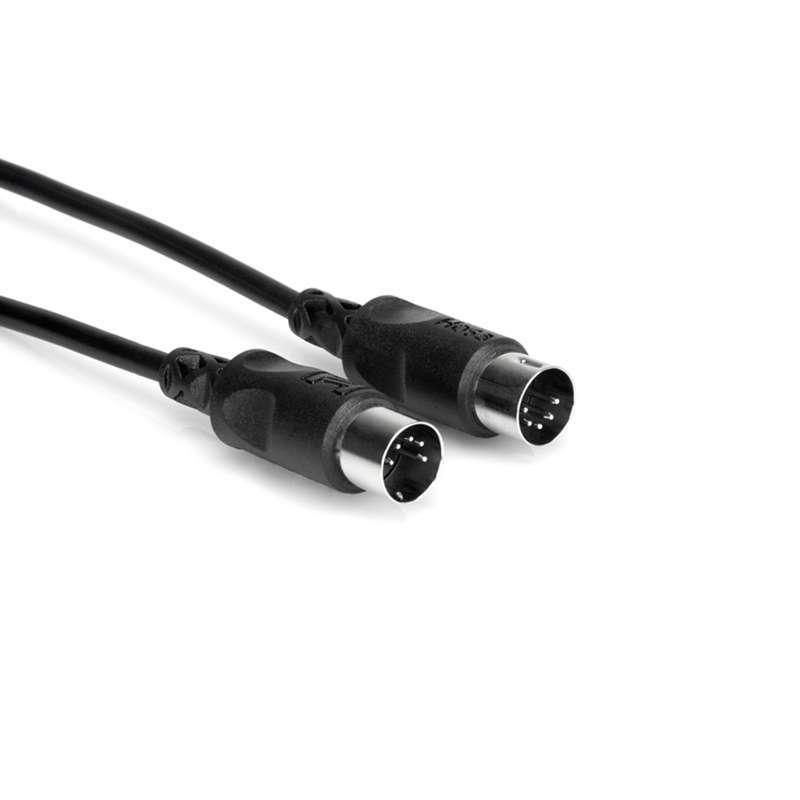
Black Hosa MID-305BK cable with two five-pin MIDI plugs.
08

5-pin MIDI · 5 ft · Black

Hosa MID-305BK

MIDI control messages

Hardware 5-pin MIDI OUTHardware 5-pin MIDI IN

Use it for
Send hardware MIDI notes and controls.
Why consider it
Connect one device’s MIDI output to another device’s MIDI input.
The tradeoff
MIDI carries instructions, not sound. Record the instrument through a separate audio connection.
Check before buying
Select MID-305BK, 5 ft. Both devices need compatible 5-pin MIDI ports; this cable does not convert USB.

Manufacturer reference
Listing notes: September 7, 2026. Confirm the current seller and package.
View on Amazon (paid link)

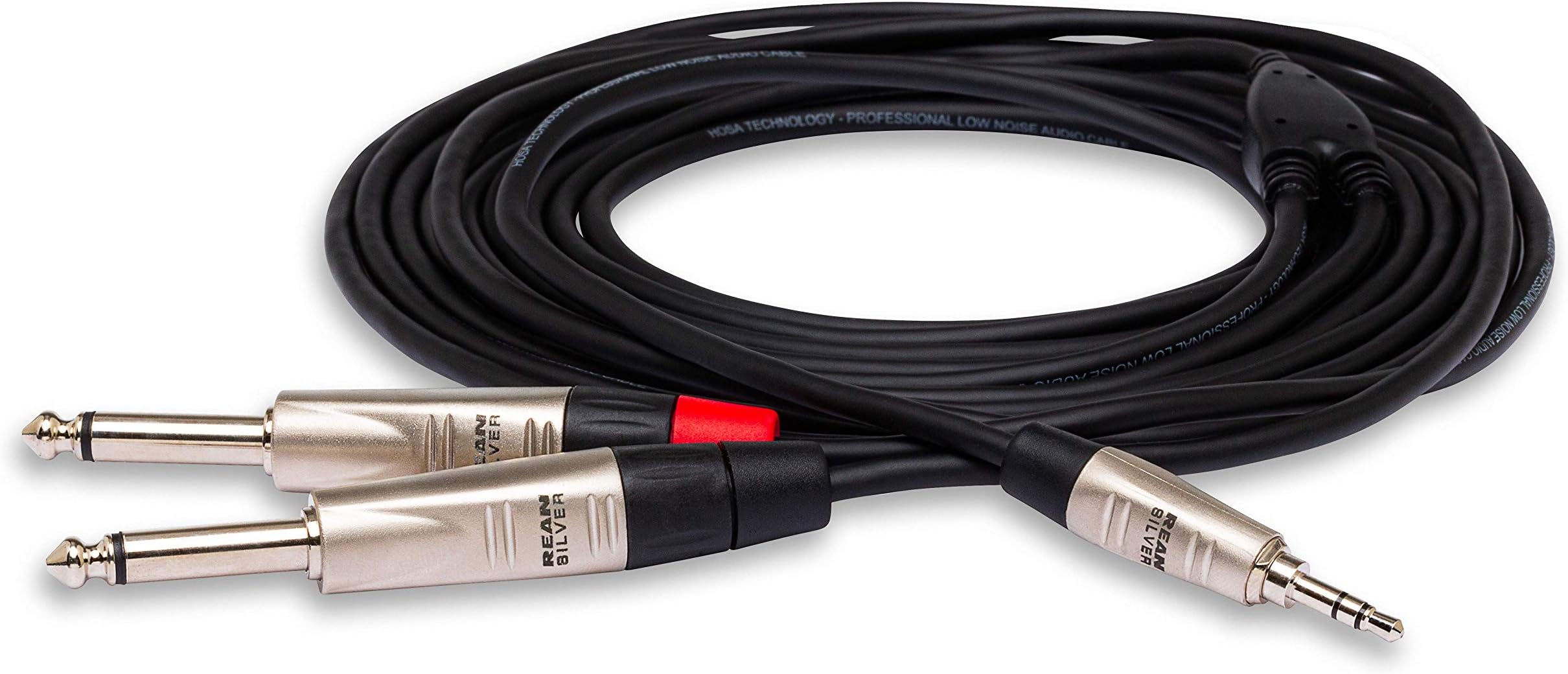
Hosa HMP-003Y cable with one 3.5 mm TRS plug and two quarter-inch TS plugs.
09

3.5 mm TRS → dual ¼-inch TS · 3 ft

Hosa HMP-003Y

Audio, unbalanced stereo split into left/right

Device 3.5 mm stereo headphone outputTwo compatible mixer line inputs assigned left and right

Use it for
Connect stereo output to mixer line inputs.
Why consider it
A 3.5 mm stereo plug splits left and right audio into two quarter-inch TS plugs.
The tradeoff
This cable does not convert USB-C. A device without a headphone socket needs a suitable audio adapter.
Check before buying
Select HMP-003Y, 3 ft. Check two suitable unbalanced line inputs and left/right routing. Start with levels low.

Manufacturer reference
Listing notes: September 7, 2026. Confirm the current seller and package.
View on Amazon (paid link)

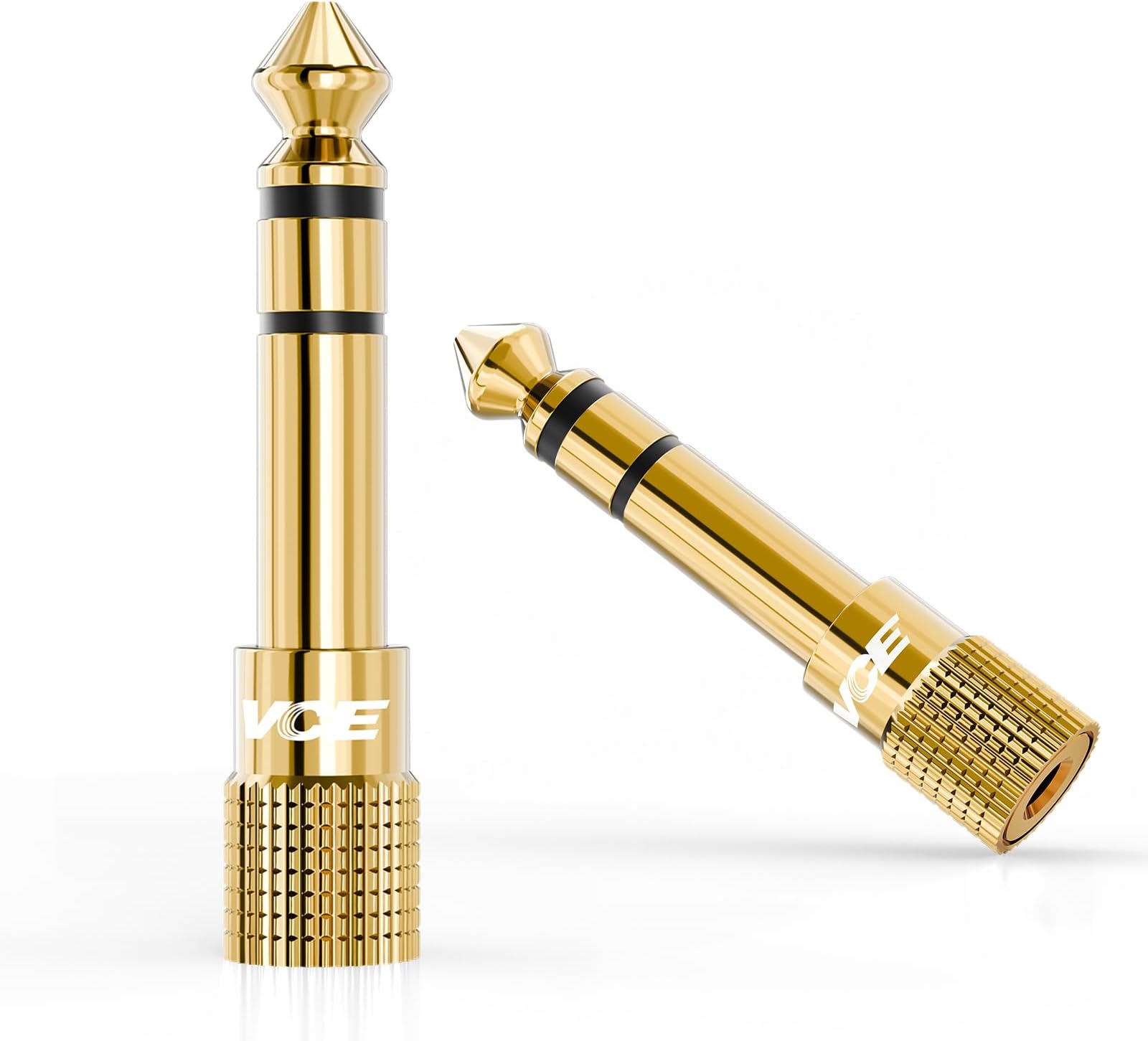
Two gold VCE stereo headphone adapters with quarter-inch plugs and 3.5 mm sockets.
10

3.5 mm female → ¼-inch male · 2-pack

VCE headphone adapters

Stereo headphone audio

Equipment quarter-inch stereo headphone socketHeadphone 3.5 mm stereo plug

Use it for
Fit 3.5 mm headphones to a quarter-inch output.
Why consider it
A spare stereo adapter for a larger headphone socket.
The tradeoff
An adapter changes the connection; it does not add amplification or repair a damaged cable.
Check before buying
Select the stereo two-pack: 3.5 mm female to quarter-inch male. Confirm headphone-output use and fit; push-on may not replace screw-on.

Retailer listing research
Listing notes: September 7, 2026. Confirm the current seller and package.
View on Amazon (paid link)

ABOUT THIS GUIDE

Useful detail.
A smaller shopping list.

Audio Atmospherics helps DJs and home-studio musicians make practical equipment choices. We identify the product model, explain where it fits, and flag uncertainties that should be resolved before ordering.

Product pages were checked on September 7, 2026. Prices, sellers, package contents, and availability can change. The Amazon page and manufacturer’s current documentation should agree before you buy. Purchases and customer service are handled by the retailer.

PRIVACY AND AFFILIATE LINKS

Know where your click goes.

Purchases take place on Amazon. We count page views and product clicks without cookies or personal details. The optional email checklist stores your email and consent separately. Read how this works and how to unsubscribe.

Full privacy and affiliate information →